Mario 64 on DragonflyBSD
Table of Contents
Steps to build and run an enhanced, Dragonfly-native Mario 64, built from the decompilation available on Github. With surprisingly little effort too!
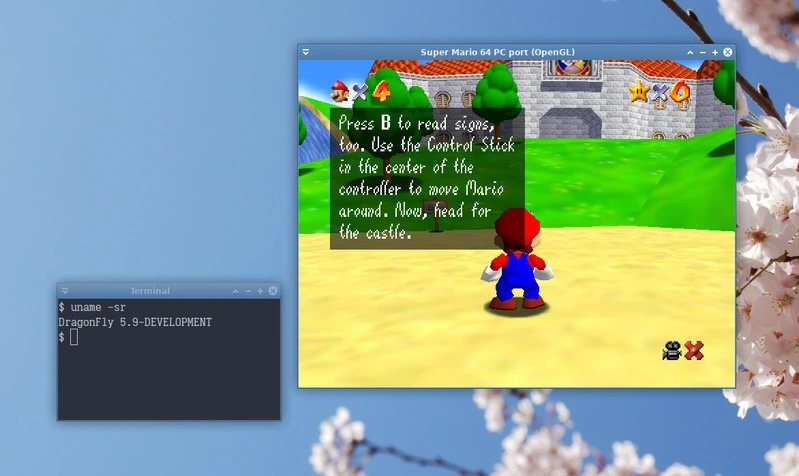
Figure 1: Mario 64 on Dragonfly 5.9-DEVELOPMENT
1. The build environment
You'll need a few things in place. DragonflyBSD isn't Linux, and it isn't OSX, and the project doesn't actually consider building on *BSD. So we need to do a few things before we can build it. The commands below will install the dependencies we'll be compiling-with/linking-against, clone the repository, and create the appropriate symlinks the Makefile currently expects.
doas pkg install gcc9 sdl2 python3 libGLU glew
git clone https://github.com/sm64pc/sm64ex.git
cd sm64ex/
ln -s /usr/include/sys/malloc.h $(pwd)/include/
ln -s /usr/local/bin/cpp9 $(pwd)/bin/cpp-9
ln -s /usr/local/bin/gmake $(pwd)/bin/make
export PATH=$(pwd)/bin:$PATH
2. Source material
The decompilation of Mario 64 is seriously cool. But unlike code which you can maybe get away with - you really can't get away with redistributing the sound effects, music, and artwork. So you'll need a copy of the game on hand, placed in the project root. I've provided the sha256 sum of the file I used, as a reference. Yours may differ.
sha256 baserom.us.z64
SHA256 (baserom.us.z64) = 17ce077343c6133f8c9f2d6d6d9a4ab62c8cd2aa57c40aea1f490b4c8bb21d91
3. File changes
Before building, we want to make a few small changes. In the main Makefile, we want to remove its attempt at OS detection. Currently this will cause the build to assume we're running some form of Windows, causing it to go looking for mingw:
diff --git a/Makefile b/Makefile
index 8360415..b501b25 100644
--- a/Makefile
+++ b/Makefile
@@ -78,16 +77,6 @@ WINDOWS_BUILD ?= 0

# Attempt to detect OS
-ifeq ($(OS),Windows_NT)
-  HOST_OS ?= Windows
-else
-  HOST_OS ?= $(shell uname -s 2>/dev/null || echo Unknown)
-  # some weird MINGW/Cygwin env that doesnt define $OS
-  ifneq (,$(findstring MINGW,HOST_OS))
-    HOST_OS := Windows
-  endif
-endif
-
ifeq ($(TARGET_WEB),0)
ifeq ($(HOST_OS),Windows)
We also need to make a small change to src/pc/gfx/gfx_opengl.c to
properly pull in GLEW. This codeblock was originally intended for
MacOS - but we can make use of it:
diff --git a/src/pc/gfx/gfx_opengl.c b/src/pc/gfx/gfx_opengl.c
index b3476ce..23b6696 100644
--- a/src/pc/gfx/gfx_opengl.c
+++ b/src/pc/gfx/gfx_opengl.c
@@ -15,8 +15,8 @@
#endif

#if FOR_WINDOWS || defined(OSX_BUILD)
-# define GLEW_STATIC
-# include <GL/glew.h>
+define GLEW_STATIC
+include <GL/glew.h>
#endif
4. Building and Running
With everything ready, we can now build. The end result should be a
directory in build/ for your region. In my case this was
build/us_pc/sm64.us.f3dex2e. Performance will vary based on your
machine, but you do have the option of setting the GL/LEGACY render API,
or setting GRUCODE to f3d/new. See the Makefile for all your options!
$ make BETTERCAMERA=1 EXTERNAL_DATA=1 DEBUG=0 -j4
$ ./build/us_pc/sm64.us.f3dex2e