GuixSD on the Framework 13
Table of Contents
Last year I bought a Framework 13 laptop. Pretty fortunate to have bought it last year, given how SODIMM prices have gone stratospheric.
The spec doesn't matter much. Whichever model you buy, running GuixSD will require the use of nonguix in order to install an encumbered kernel (that is to say, the Linux kernel with proprietary microcode/firmware).
Please do note that disabling Secure Boot appears to be required to use GuixSD on the Framework 13 at the moment. I simply couldn't get it to boot into the installer with it enabled.
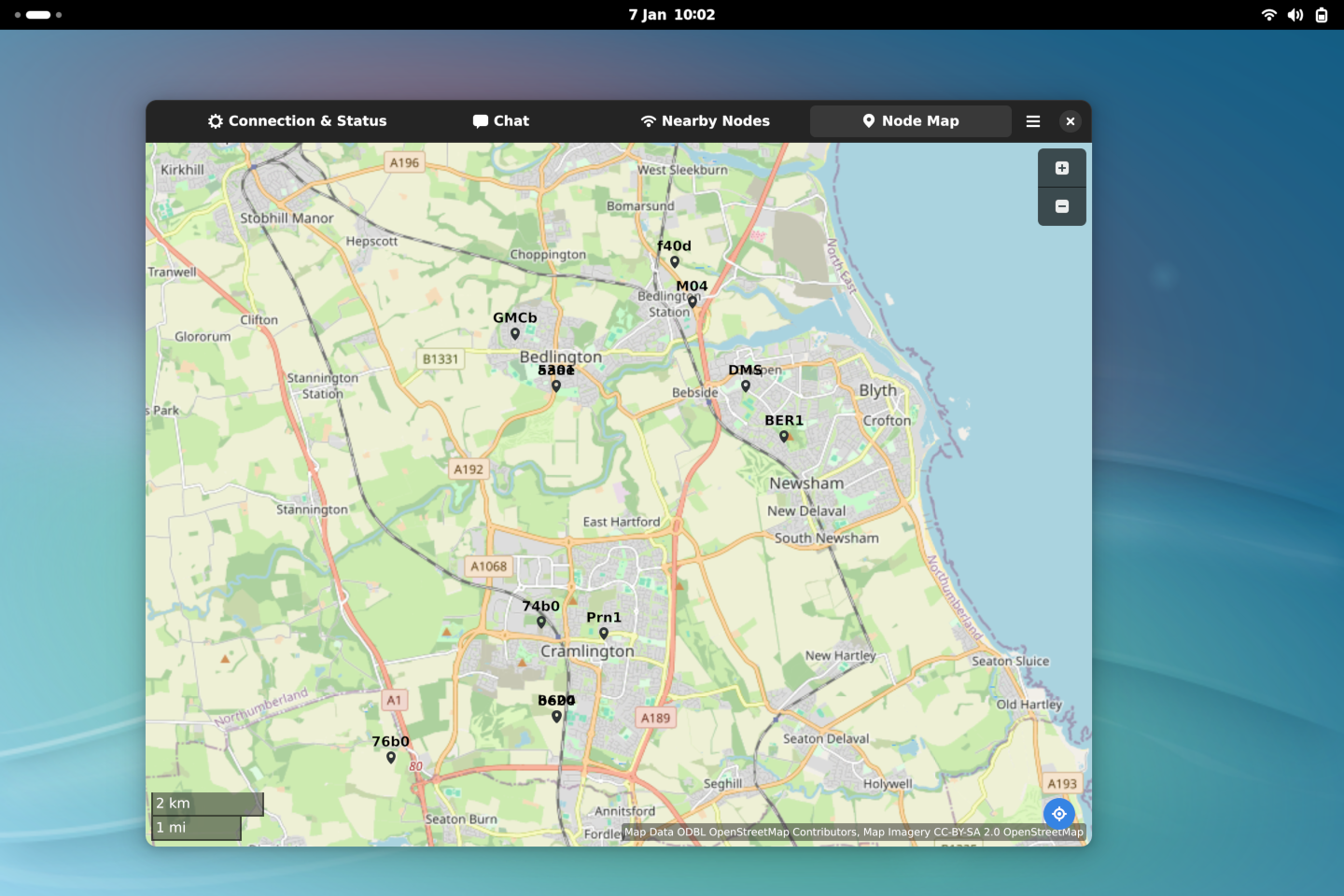
Figure 1: GuixSD on the Framework 13, running gtk-meshtastic-client
1. Proprietary Firmware
The default Linux kernel used by GuixSD is linux-libre. This version of the Linux kernel does not support proprietary firmware, in line with the FSF's Free System Distribution guidelines.
On the AMD models, this would be for the GPU (radeon) and wireless card (mediatek). On the Intel models, this would be for the AX210 wireless card (intel).
I've personally tried an ath9k QCNFA222 card with linux-libre on the framework 13, and it does work.
However:
- Booting to GDM was impossible without setting
nomodesetin GRUB. - Even then, I experienced rather severe visual corruption and freezes.
- While i915 doesn't need proprietary firmware for basic operation, it does require those blobs for scheduling, context submission, and power management.
- Hardware-decoding of video is available, but less optimized. nonguix offers intel-media-driver and intel-media-driver/nonfree. The latter includes proprietary shader kernels.
I'm currently using the nonguix kernel, and the rest of this post is informed by that choice.
2. Caveat Emptor
GuixSD isn't perfect on the Framework 13. There's a few small issues you should be aware of:
- Minor graphical corruption happens. It is quite rare, but still an issue as of today (linux 6.17.12).
- The fingerprint sensor is detected, and can be configured. But it doesn't work with GDM. It might work with sudo, but you shouldn't be using it for sudo anyway.
- Battery life is unsurprisingly mediocre. I don't have metrics, it's just underwhelming.
- No Secure Boot. I personally don't care, as I'm using LUKS. But you might.
- LUKS requires entering your passphrase twice. Once on the EFI boot screen, and again after GRUB hands off to linux.
- If you require WebBluetooth, it isn't available. Firefox doesn't implement it, ungoogled-chromium doesn't seem able to talk to the bluetooth stack.
3. Installation Media
Getting an up-to-date nonguix install ISO is a bit more difficult these days, as the size of the typical installation image is now larger than can be hosted for free by Github's runners.
The best way to get an ISO is to do the following:
- Install Guix (the package manager) on your existing GNU/Linux host.
- Clone SystemCrafters guix-installer repo.
- Run
bash build-iso.sh. I personally had to run it more than once, due to timeouts. ddthe image to a USB stick.
The resulting image is the standard installer, available from the official Guix site, but with the nonguix kernel and firmware.
4. Installation Process
As the installation image is otherwise unchanged, the installer is unaware that we're running on an encumbered kernel during installation.
This leads to unexpected and incorrect dialogues throughout the process. For example:
- When selecting your kernel, only linux-libre and [BROKEN LINK: GNU hurd] are available. Pick linux-libre, and we will correct this later in the process.
- You'll likely be told your wireless card requires unavailable blobs. Ignore this, and perform an AP scan anyway - it should work.
Once you've gotten to the end of the installation process and are being offered the
chance to edit the system definition, stop. The installation image has (at this point)
generated an unencumbered config.scm. Proceeding will yield a GuixSD install with
the linux-libre kernel.
We're going to correct this and finish the installation by hand, so hit
Ctrl+Alt+F3 to change TTY.
Our configuration is /mnt/etc/config.scm. Our goal here is to edit this file
to represent our desired system - the system we want to reboot into.
Rather than feed you lines piecemeal, here's most of my own configuration. This configuration is suitable for a framework 13 running the GNOME desktop. Do not just copy and paste this and expect it to work. It is a reference only.
(use-modules
 (gnu)
 ;; Non-free kernel, firmware, and video packages
 (nongnu packages linux)
 (nongnu packages firmware)
 (nongnu packages video))

;; pm is 'power management', and is required for CPU power-mode switching.
;; i.e. GNOME's power saver -> balanced -> performance toggle
;; see the power-profiles-daemon-service-type below
(use-service-modules cups desktop networking ssh xorg pm nfs)

(operating-system
 ;; Use the standard Linux kernel, with all available encumbered firmware
 (kernel linux)
 (firmware (list linux-firmware))

 (locale "en_GB.utf8")
 (timezone "Europe/London")
 (host-name "nilgiri")
 ;; The Framework's 'International Linux' keyboard layout.
 (keyboard-layout (keyboard-layout "us" "altgr-intl"))

 (users (cons* (user-account
                (name "patrick")
                (comment "Patrick")
                (group "users")
                (home-directory "/home/patrick")
                (supplementary-groups '("wheel" "netdev" "audio" "video")))
               %base-user-accounts))

 ;; intel-media-driver provides H264/H265/VP8/VP9/AV1 hardware decoding
 ;; and encoding in tools like ffmpeg, mpv, firefox and so on.
 (packages (append (list intel-media-driver/nonfree) %base-packages))

 (services
  (append (list (service gnome-desktop-service-type)
                (service openssh-service-type)
                (service cups-service-type)
                (service power-profiles-daemon-service-type)
                (set-xorg-configuration (xorg-configuration (keyboard-layout keyboard-layout))))
          (modify-services %desktop-services
                           (guix-service-type config => (guix-configuration
                                                         (inherit config)
                                                         (substitute-urls
                                                          (append (list "https://substitutes.nonguix.org")
                                                                  %default-substitute-urls))
                                                         (authorized-keys
                                                          (append (list (local-file "/etc/nonguix-signing-key.pub"))
                                                                  %default-authorized-guix-keys)))))))

 ;; The rest of this file is unedited from what was generated by the installer.
 (bootloader (bootloader-configuration
              (bootloader grub-efi-bootloader)
              (targets (list "/boot/efi"))
              (keyboard-layout keyboard-layout)))
 (mapped-devices (list (mapped-device
                        (source (uuid
                                   "ffffffff-ffff-ffff-ffff-ffffffffffff"))
                          (target "cryptroot")
                          (type luks-device-mapping))))

  (file-systems (cons* (file-system
                         (mount-point "/boot/efi")
                         (device (uuid "FFFF-FFFF"
                                       'fat32))
                         (type "vfat"))
                       (file-system
                         (mount-point "/")
                         (device "/dev/mapper/cryptroot")
                         (type "ext4")
                         (dependencies mapped-devices)) %base-file-systems)))
Make sure you download the nonguix public key and
pop it in /mnt/etc/nonguix-signing-key.pub if you copied my substitutes configuration.
After all changes are made, we can perform the installation using our config.scm:
> herd start cow-store /mnt
> cp /etc/channels.scm /mnt/etc/ && chmod +w /mnt/etc/channels.scm
> guix time-machine -C /mnt/etc/channels.scm -- system init /mnt/etc/config.scm /mnt
> reboot
After booting into your system, I recommend copying /mnt/etc/config.scm to $HOME/.config/guix/system.scm,
and performing reconfiguration with sudo -E guix system reconfigure $HOME/.config/guix/system.scm.
5. Custom Services
In order to get Thunderbolt to work (in my case to use my LG monitor as a USB hub), you need
boltd. This service currently lacks a boltd-service-type, but thankfully
Kenny Ballou
has done the hard work.
If you just want his code integrated into your system.scm, these are the parts you want:
(use-modules
 ;; Other modules may be required, I haven't bothered to pick out
 ;; every single one. Guix will tell you if some are missing when you
 ;; reconfigure.
 (gnu services dbus))

(define-record-type* <boltd-configuration>
  boltd-configuration make-boltd-configuration boltd-configuration?
  (package boltd-configuration-package ; package
           (default bolt)))

(define (boltd-shepherd-service config)
  (shepherd-service
   (documentation "Thunderbolt daemon")
   (provision '(boltd))
   (requirement '(dbus-system udev))
   (respawn? #f)
   (start #~(make-forkexec-constructor
             (list #$(file-append (boltd-configuration-package config)
                                  "/libexec/boltd")
                   "--verbose")
             #:log-file "/var/log/boltd"))
   (stop #~(make-kill-destructor))))

(define boltd-activation-service
  #~(begin
      (use-modules (guix build utils))
      (mkdir-p "/var/lib/boltd")))

(define (boltd-udev-rule config)
  (let ((package (boltd-configuration-package config)))
    (file->udev-rule "90-bolt.rules"
                     (file-append package
                                  "/lib/udev/rules.d/90-bolt.rules"))))

(define boltd-service-type
  (service-type
   (name 'boltd)
   (description
    "Run @command{boltd}, the Thunderbolt daemon.")
   (extensions
    (list (service-extension udev-service-type
                             (compose list boltd-udev-rule))
          (service-extension activation-service-type
                             (const boltd-activation-service))
          (service-extension dbus-root-service-type
                             (compose list boltd-configuration-package))
          (service-extension shepherd-root-service-type
                             (compose list boltd-shepherd-service))))
   (default-value (boltd-configuration))))

;; Obviously you'll have more services listed here.
(operating-system
  (services
   (append (list (service boltd-service-type)))))
6. Closing Remarks
I'm actually very happy with GuixSD. The initial learning curve is steep, but beyond that, there's a real elegance I've started to appreciate.
There have been some challenges I've yet to surmount. I don't have a great solution for running Orca Slicer.
I've already converted my server Darjeeling to run GuixSD. Running it on a server
is (I think) a much better way to wrap your head around writing services and making
use of tools like guix shell. I'll be making that post soon.
At some point, I'll also be making a post about building unpackaged software.
I have a build of Chris Talbot's Meshtatic client
running locally, but for the moment I don't have it in a channel, and you can find it
in my Guix Channel.