Micro Seiki MB-14 Auto-return Lever
Table of Contents
A replacement auto-return lever for a Micro-Seiki MB-14 Turntable. A commonly problematic part, owing to the small tab that interfaces with the cam for the auto-return mechanism.
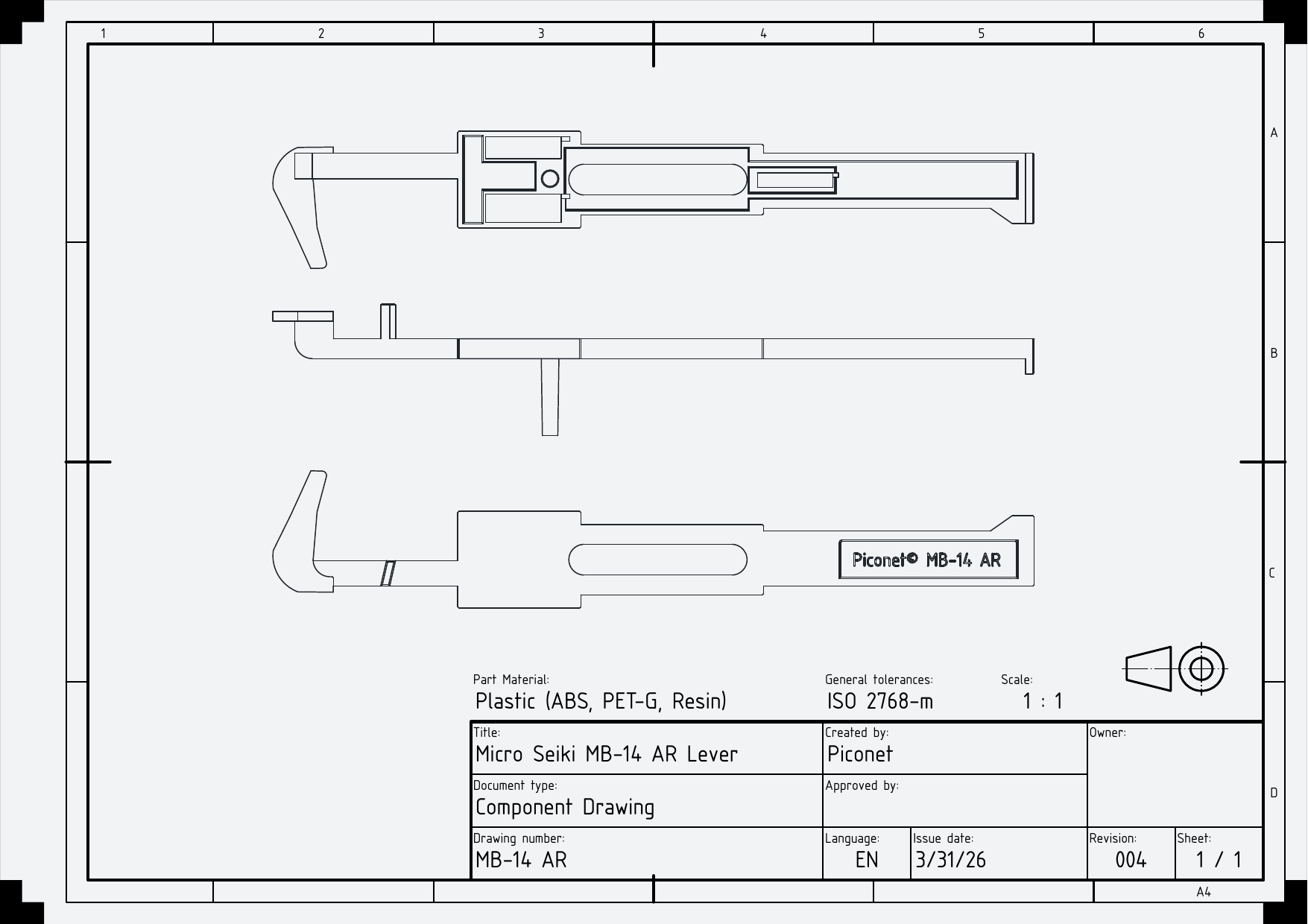
Depending on which part of the auto-return lever is broken, the MB-14 will malfunction in a variety of ways. Refer to the technical drawing below for an overview of these failure states.
This part is designed for printing on an SLA resin printer. Printing on a typical FDM printer is also possible. Minimal force is applied to the part under normal operation, thus most materials are perfectly suitable.
Print-on-demand costs £5.99 for two parts (one replacement, one spare, in ABS-like resin) with inclusive postage (Royal Mail) to anywhere in the UK. Print-on-demand parts are made from ELEGOO Water-washable ABS-like Resin and are printed on a ELEGOO Saturn 4.
Do note, post-sales support for installation is not provided. See Installation below for an overview of the process.
This model is available on Cults3D.
1. Technical Drawing
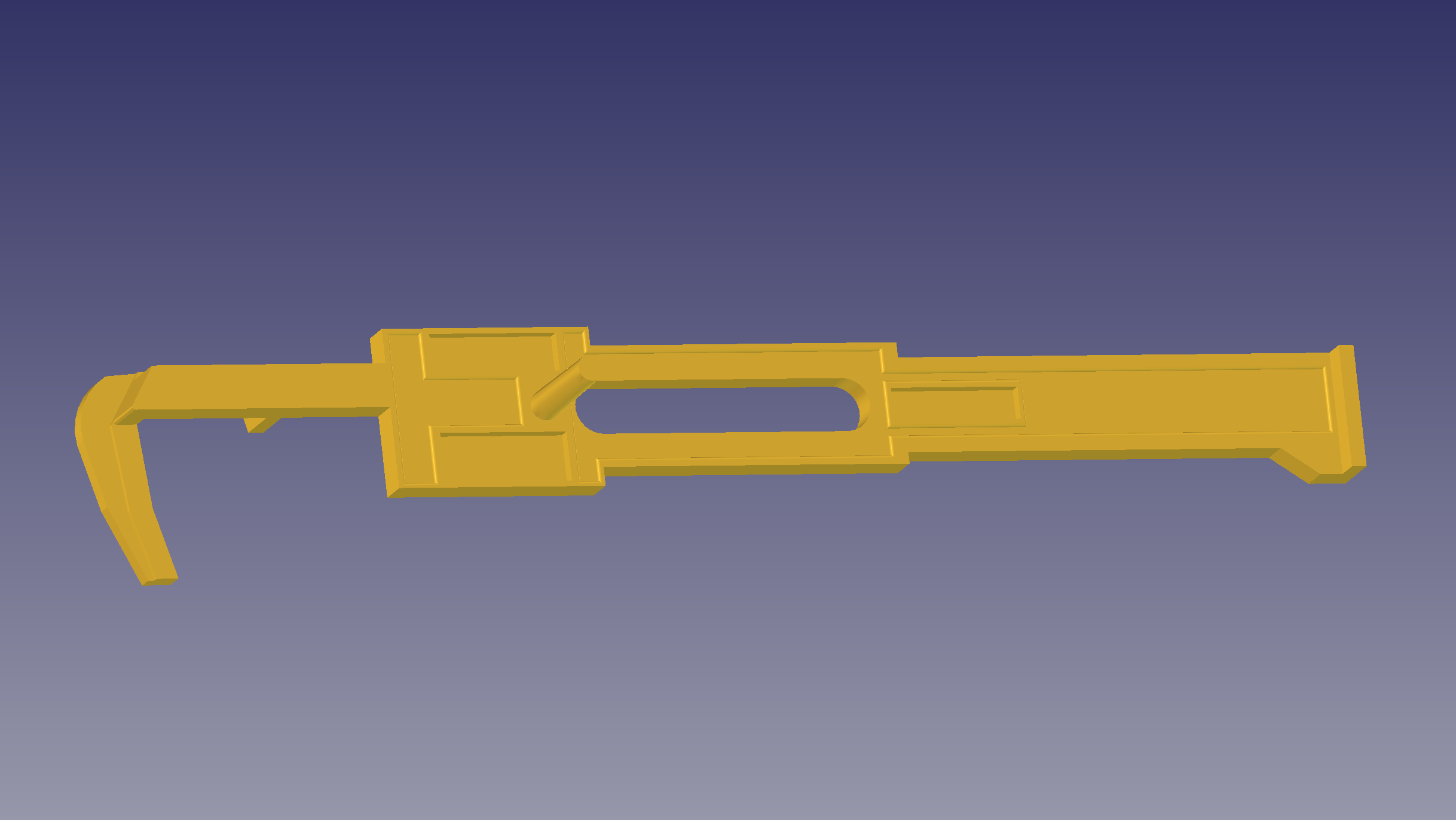
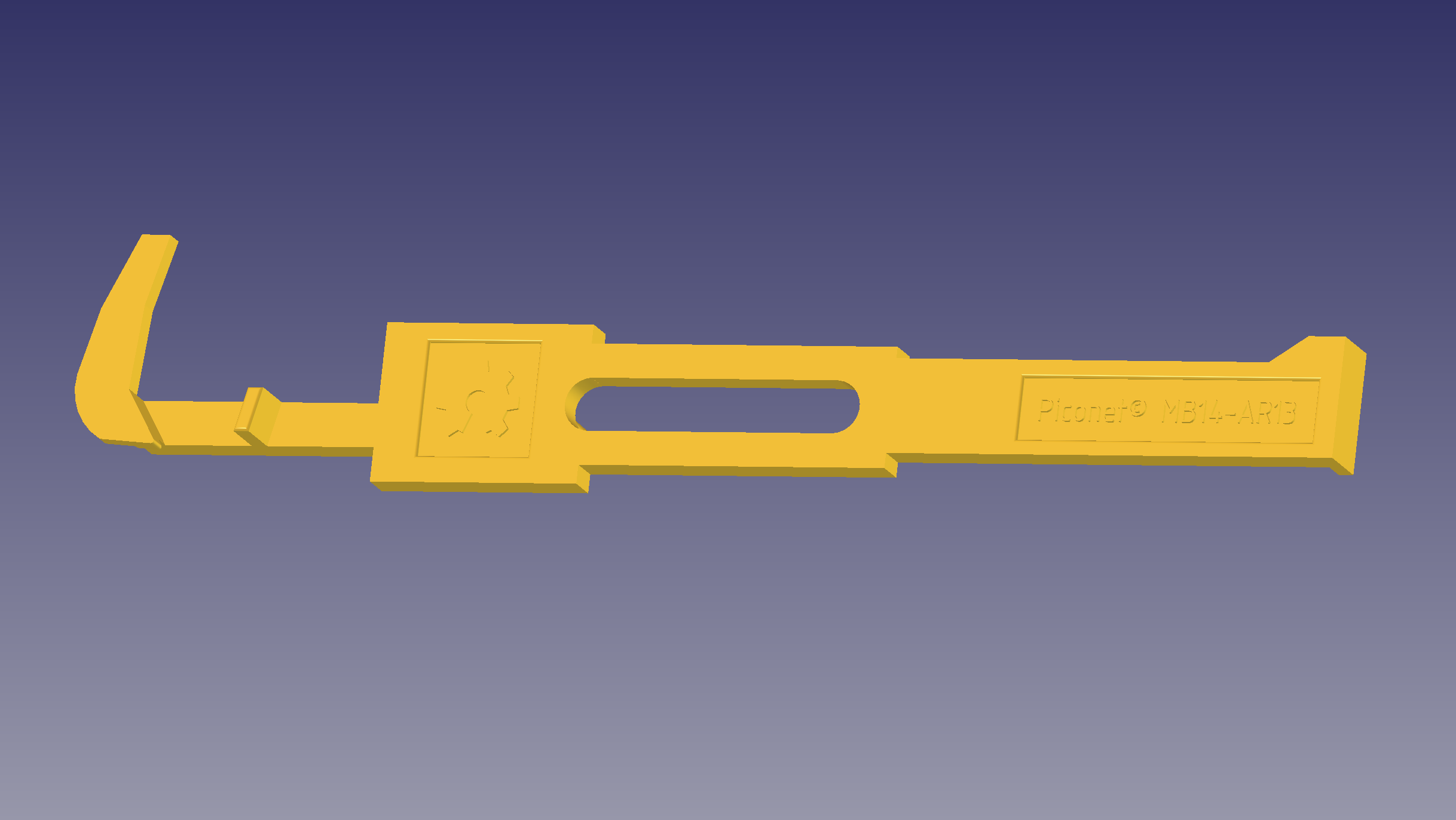
2. Photographs
3. Printing Instructions
3.1. SLA Resin Printing
| Requirement | Required | Note |
|---|---|---|
| ABS-like resin required? | No | ABS-like resin is recommended |
| Opaque resin? | No | |
| Water-Washable okay? | Yes | |
| Eco okay? | Yes | |
| Supports? | Yes | Avoid placing supports in bearing slots |
| Post-processing? | No |
It is advised to orient the part such that the bearing slots face the build-plate. Printing in the opposing orientation will result in these slots acting as suction cups.
Ensure prints are fully cured before taking them anywhere near your turntable.
Refer to your resin manufacturers' instructions in regards to layer timings and curing instructions.
3.2. FDM Filament Printing
| Material | Supported | Note |
|---|---|---|
| ABS | Yes | |
| ASA | Yes | |
| PET-G | Yes | PET-G filament is recommended |
| PLA | Yes | |
| TPU | No |
If printing this part using an FDM printer, it is recommended to avoid printing high-detail areas (such as text). All materials should be printed with supports.
If using a Bambu printer with either OrcaSlicer or Bambu's own slicer, I recommend utilising the "Strength" print pre-set.
4. Installation
The main components of the MB-14 can be accessed by removing screws from the base plate. The feet of the MB-14 do not need to be removed to replace this part.
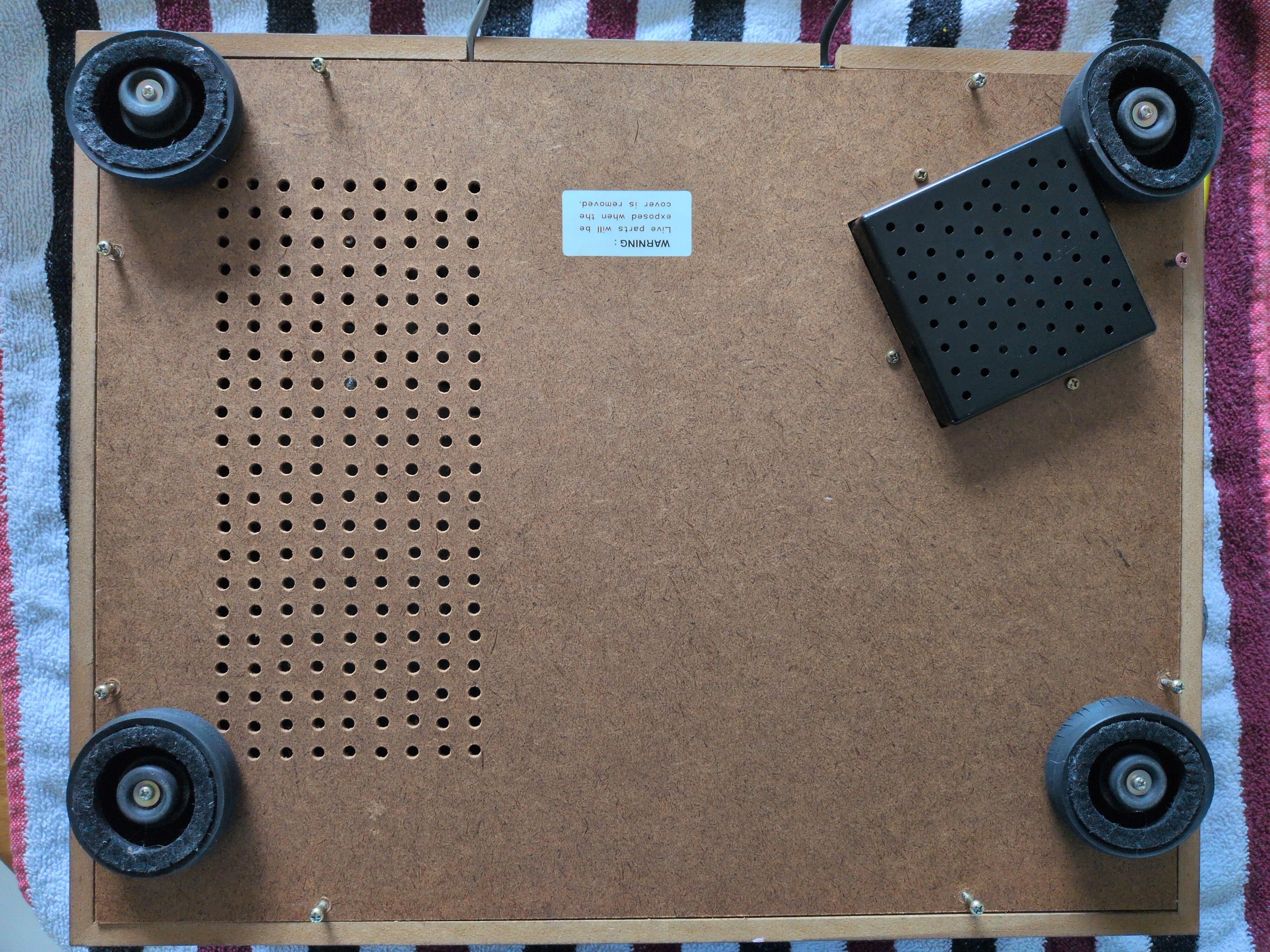
Once the base is removed, proceed to identify the lever to be replaced.
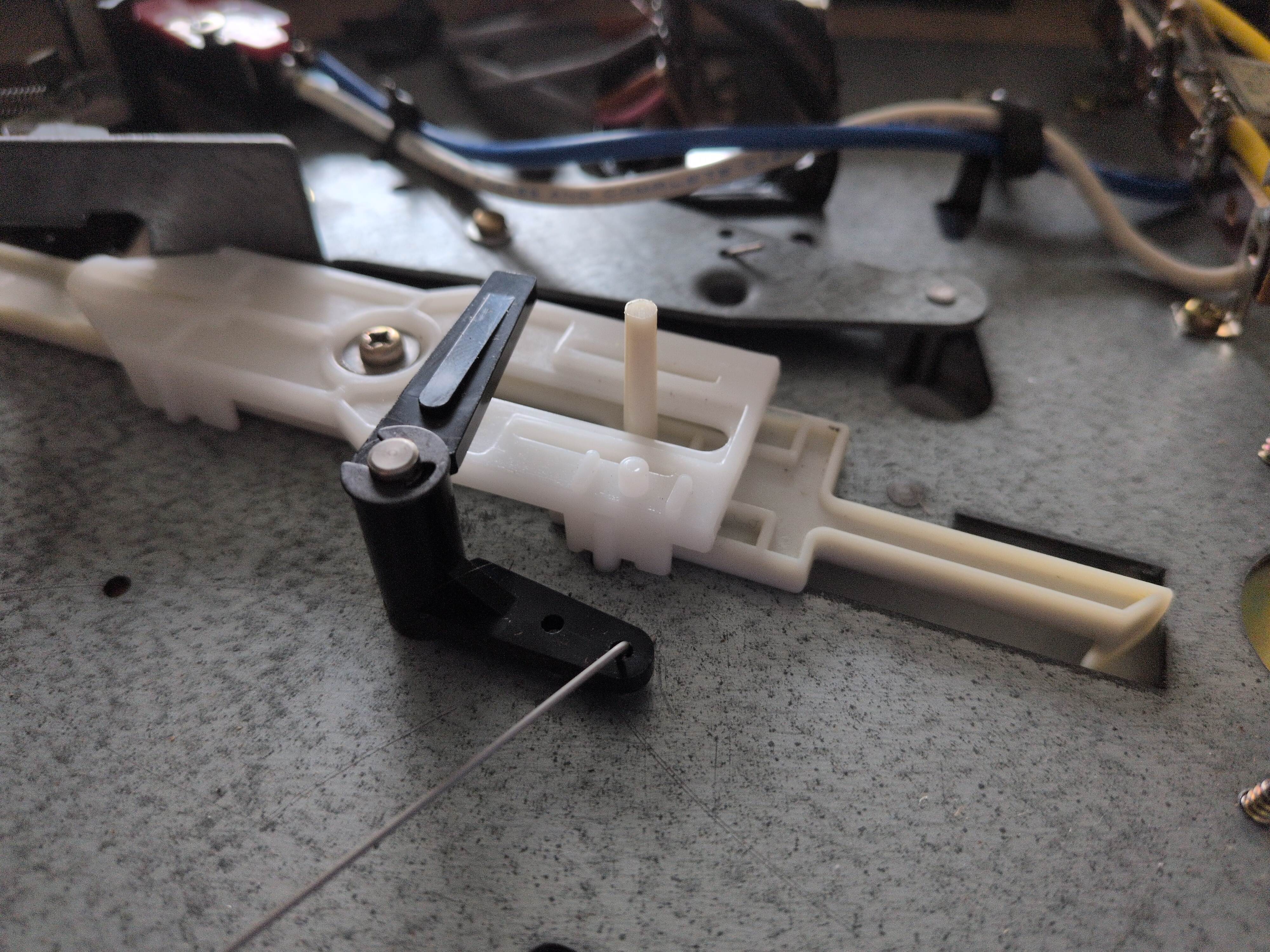
Begin by removing the single screw in the centre of the upper lever. Carefully shimmy the upper lever out of the plinth, paying close attention to the location of the three ball bearings.
As these bearings are lubricated, they will likely stick to either the upper or lower part.
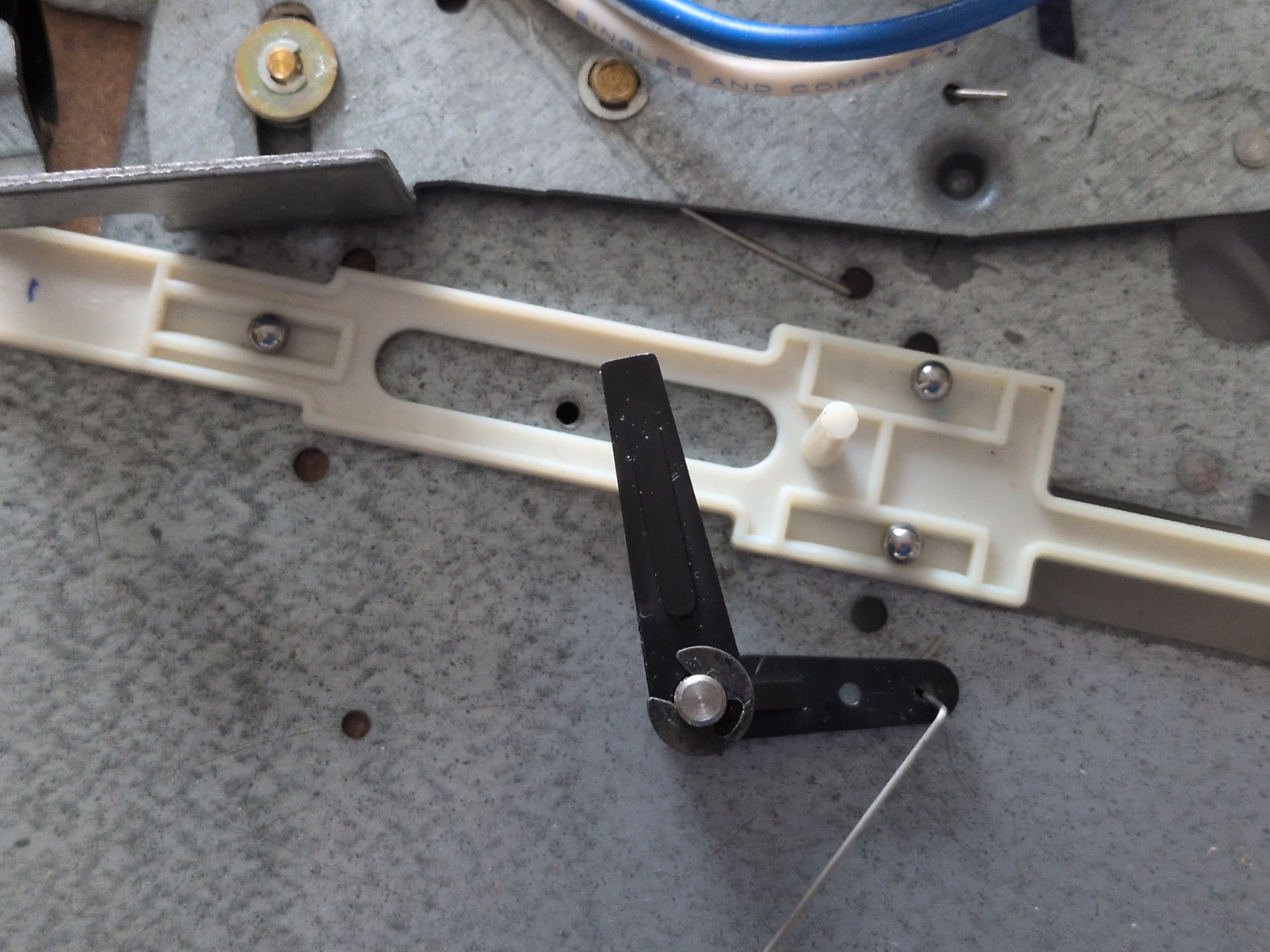
Extract the lever we intend to replace. The claw of the lever passes through the metal plate to reach the cam. Below is an example of a lever that is broken:
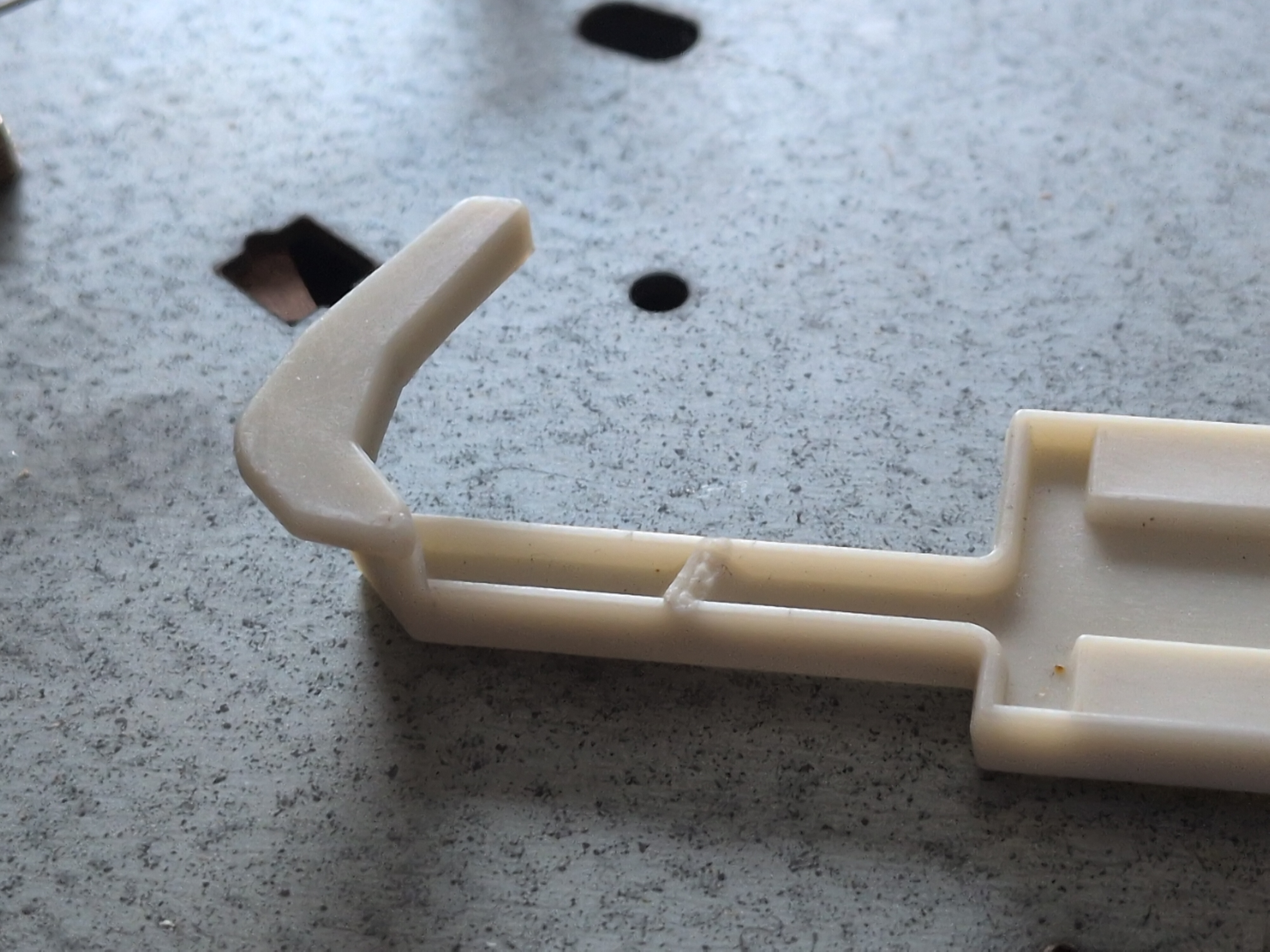
If, upon extracting the lever, find that both the claw and release nub are in good form - stop here. The lever likely does not need to be replaced - and your issue is more likely to be the cam, or the V-spring underneath the metal lever that applies tension to the tone-arm lift mechanism.
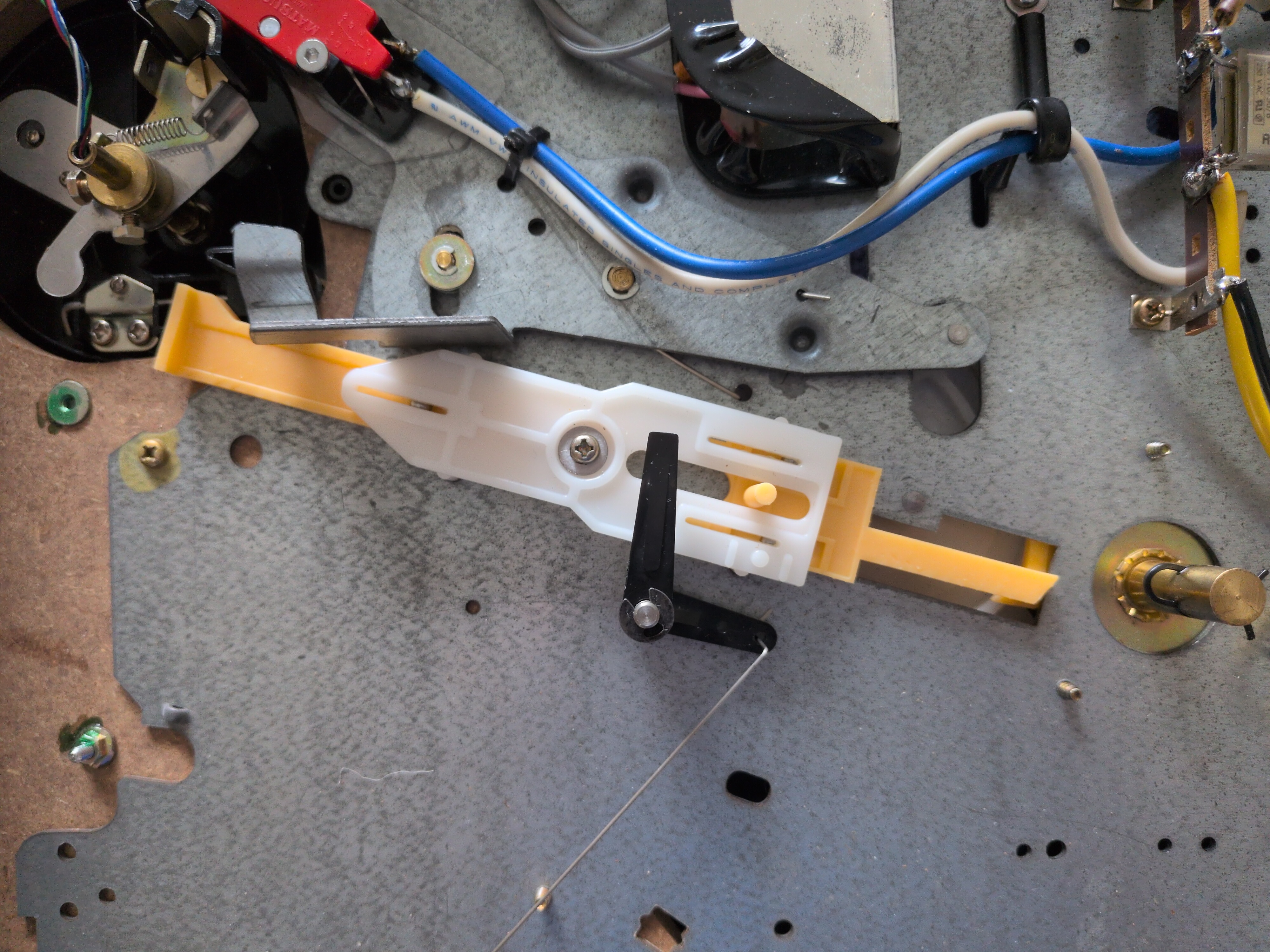
Reassembly is the process above reversed. Cleaning and re-lubricating the bearings and bearing slots of the white top-plate is recommended. A very minimal volume of white lithium grease is an acceptable and commonly available choice.